Use Cases

Three Clinicians, Three Very Different Notes

A pediatrician, a cardiologist and a therapist do not document the same encounter, and they should not get the same note. Each of the notes below is built from the specialty template SyntheNote already ships.

Pediatric clinic · 18 patients before lunch

A Two-Year-Old Check, Documented While You Examine Her

Growth, milestones, the immunizations due this visit, and the one thing the mother mentioned at the door. You talk to the family; the recording runs on the desk.

What comes back is a pediatric note, with the history a pediatrician actually records and the measurements a well-child visit turns on.

Pediatrics14 sections
  • Chief Complaint
  • History of Present Illness
  • Birth History
  • Developmental History
  • Immunization Status
  • Past Medical History
  • Allergies
  • Family History
  • Social History
  • Physical Exam
  • Growth Parameters
  • Labs Reviewed
  • Assessment
  • Plan
The template also tells the model what to look for: developmental milestones, immunization status, growth parameters, age-appropriate assessment.
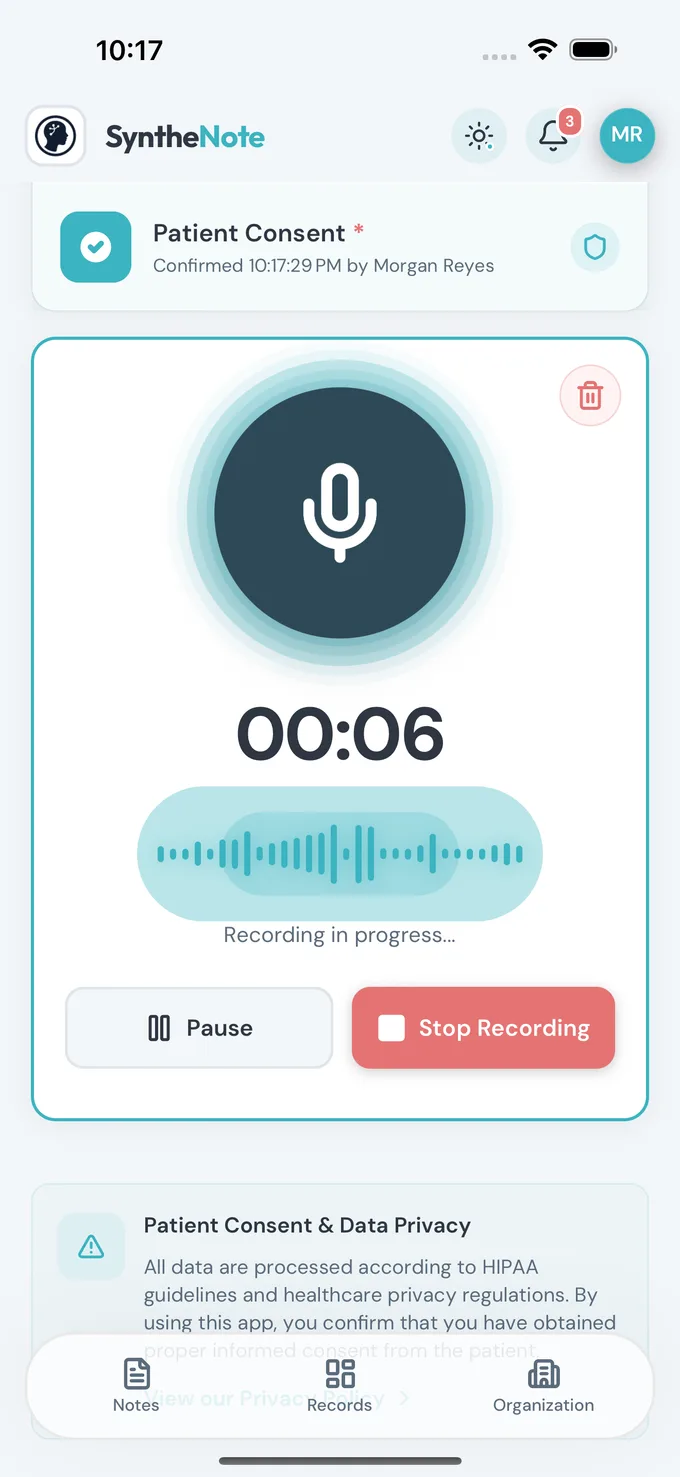
The SyntheNote recording screen during a visit
Recording a visit. The phone sits on the desk; nothing is typed.

Cardiology · a post-admission follow-up

The Longest Note in the Product, and You Dictate None of It

A cardiology follow-up carries the ECG, the monitor results, the prior procedures, and the reasoning that justifies the level of service. Thirty-two sections is what that encounter honestly needs.

It arrives populated and ordered. You read it, correct what is wrong, and sign — instead of building it from an empty box at 7pm.

Cardiology32 sections
  • Chief Complaint(s)
  • History of Present Illness
  • Cardiovascular Symptom Review
  • Past Cardiac History
  • Family History (Cardiac-Focused)
  • Review of Systems
  • Vital Signs
  • Physical Exam
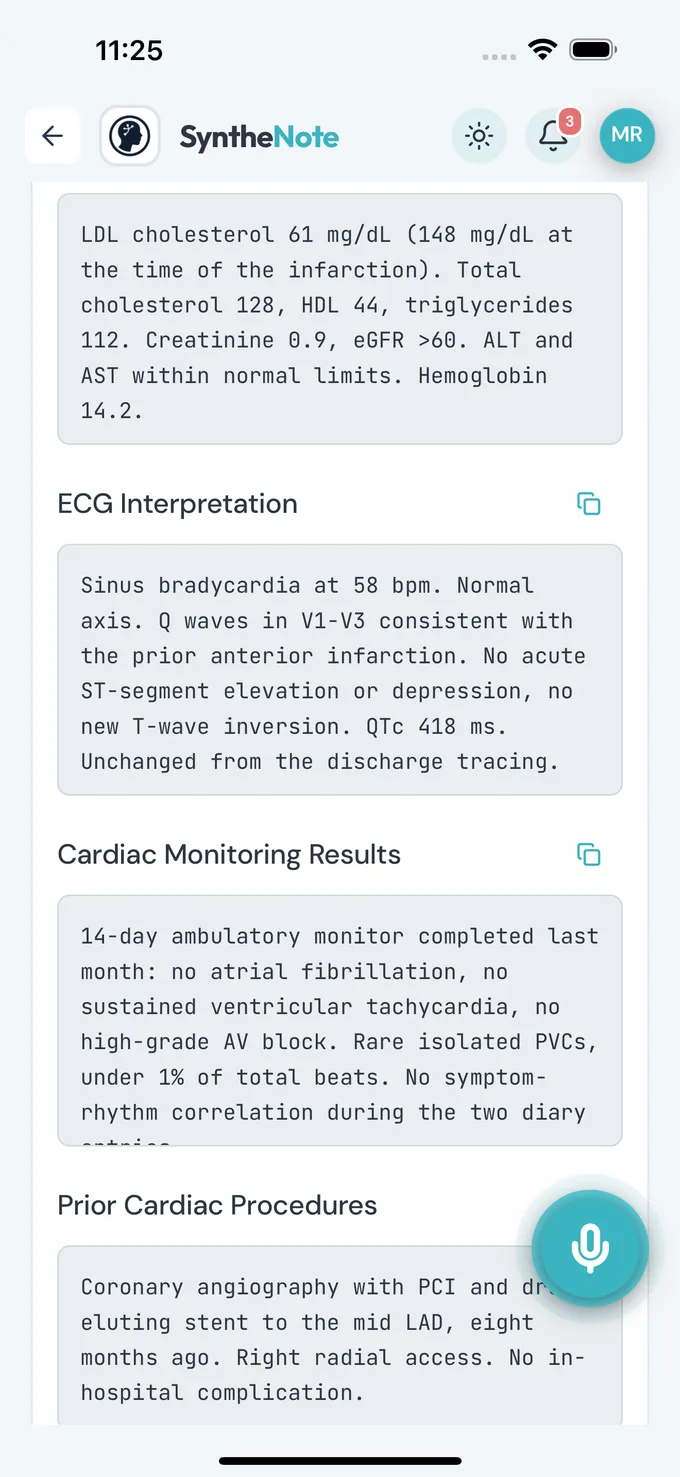
  • ECG Interpretation
  • Cardiac Monitoring Results
  • Prior Cardiac Procedures
  • Problem List
  • Differential Diagnosis
  • Assessment and Plan (Per Problem)
  • Risk Stratification
  • Medical Decision Making
  • and 16 more
Built for the encounter, and for what the encounter has to support: risk stratification, medication reconciliation, medical decision making.
A generated cardiology note in SyntheNote, showing its ECG interpretation and cardiac monitoring sections
ECG, ambulatory monitor, prior procedures — three headings no other template produces.

Behavioral health · a 50-minute session, remote

Five Sections, and Not One Of Them Is a Diagnosis

A therapy note is the opposite problem. Nobody wants a review of systems; they want what was worked on, what got in the way, and what happens next. So the counselor template is five sections long.

It is also the one template told explicitly to stay out of medical diagnosis. A shorter note is not a lesser one — it is the right shape for the session.

Counselor5 sections
  • Current Presentation
  • Session Content
  • Obstacles, Setbacks and Progress
  • Session Summary
  • Next Steps
The instruction the model is given here: therapeutic technique and behavioral observation — avoid medical diagnoses.
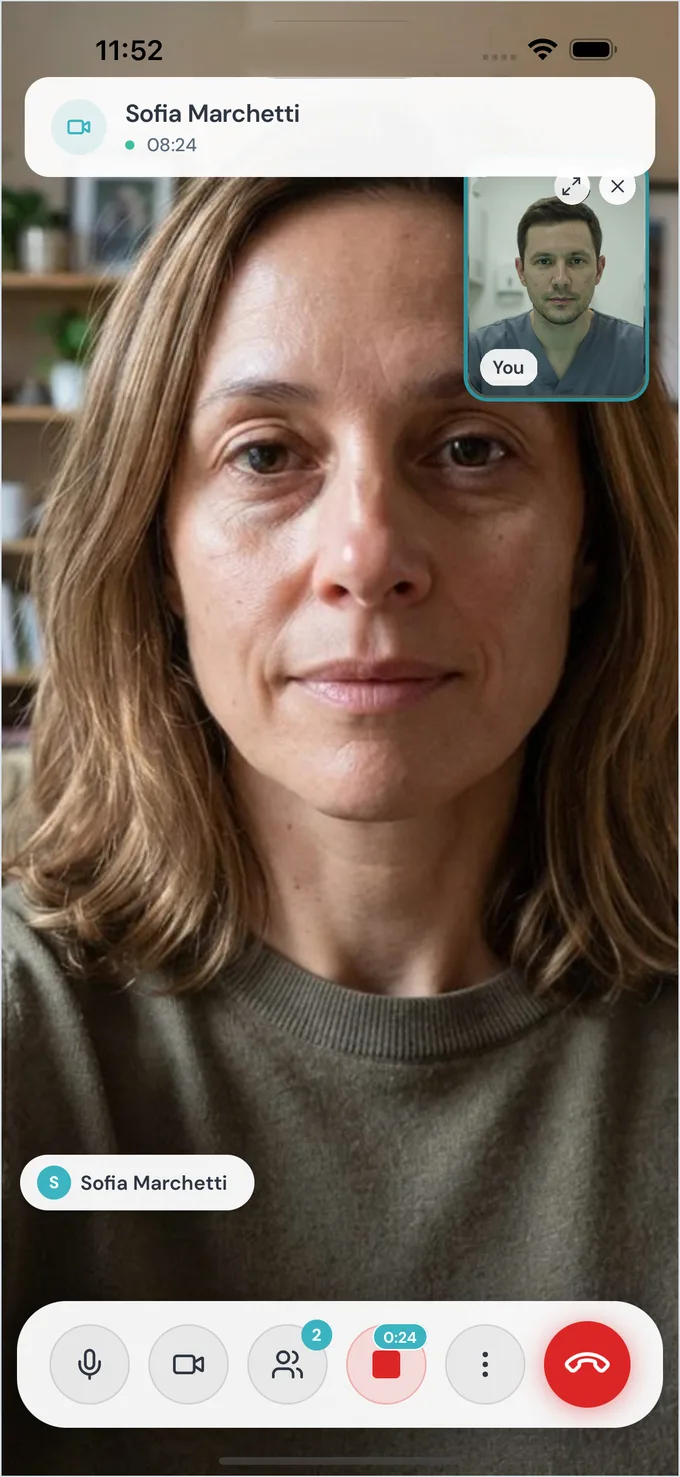
A SyntheNote telehealth call in progress
A telehealth session. The call and the documentation are the same screen.

The Part That Is the Same for Everyone

Whichever note you end up with, the path to it is four steps and none of them is typing.

Open the Patient, Press Record

From the patient's record, so the note lands in the right chart before it exists.

Have the Consultation

In person on the desk, or inside a telehealth call on the same screen. No prompts, no commands.

11:04 → 11:19 · 15 min

The Specialty Template Shapes It

Whatever you set for the patient — or for yourself by default — decides the sections and the emphasis.

Pediatrics · 14 sections

Read, Correct, Sign

It saves to the patient’s record, where the rest of the practice can see it. The audio goes.

Saved · shared with 3 colleagues

Your Specialty Is Almost Certainly In There

Sixty ship today, covering most of what a general practice and its referrals see.

The specialty template picker in SyntheNote
Your specialty is the default; change it for a single recording when the visit calls for something else.

All 60, as they appear in the picker

  • Allergology
  • Anesthesiology
  • Basic
  • Cardiology
  • Chiropractic
  • Clinical Genetics
  • Counselor
  • Dental Emergency
  • Dentistry
  • Dermatology
  • Dietetics
  • Emergency Medical Technician
  • Emergency Medicine
  • EMS
  • Endocrinology
  • Endometriosis
  • ENT
  • Facial Surgery
  • Gastroenterology
  • General
  • Geriatrics
  • Gynecology
  • Hematology
  • ICU
  • Infectious Disease
  • Internal Medicine
  • Medical Social Work
  • Midwifery
  • Naturopathy
  • Nephrology
  • Neurology
  • Nurse Practitioner
  • Ob/Gyn
  • Occupational Physician
  • Occupational Therapy
  • Oncology
  • Ophthalmology
  • Orthopedics
  • Pathology
  • Pediatrics
  • Pharmacology
  • Pharmacy
  • Physical Therapy
  • Plastic Surgery
  • Podiatry
  • Primary Care
  • Psychiatry
  • Psychology
  • Pulmonology
  • Radiology
  • Rehabilitation Medicine
  • Rheumatology
  • Sleep Medicine
  • Speech Therapy
  • Sports Medicine
  • Surgery
  • Toxicology
  • Urology
  • Vascular Surgery
  • Veterinary Medicine

Not there? Write your own, or hand SyntheNote the document your practice already uses — both are the next section.

When the Shipped Template Is Close, but Not Right

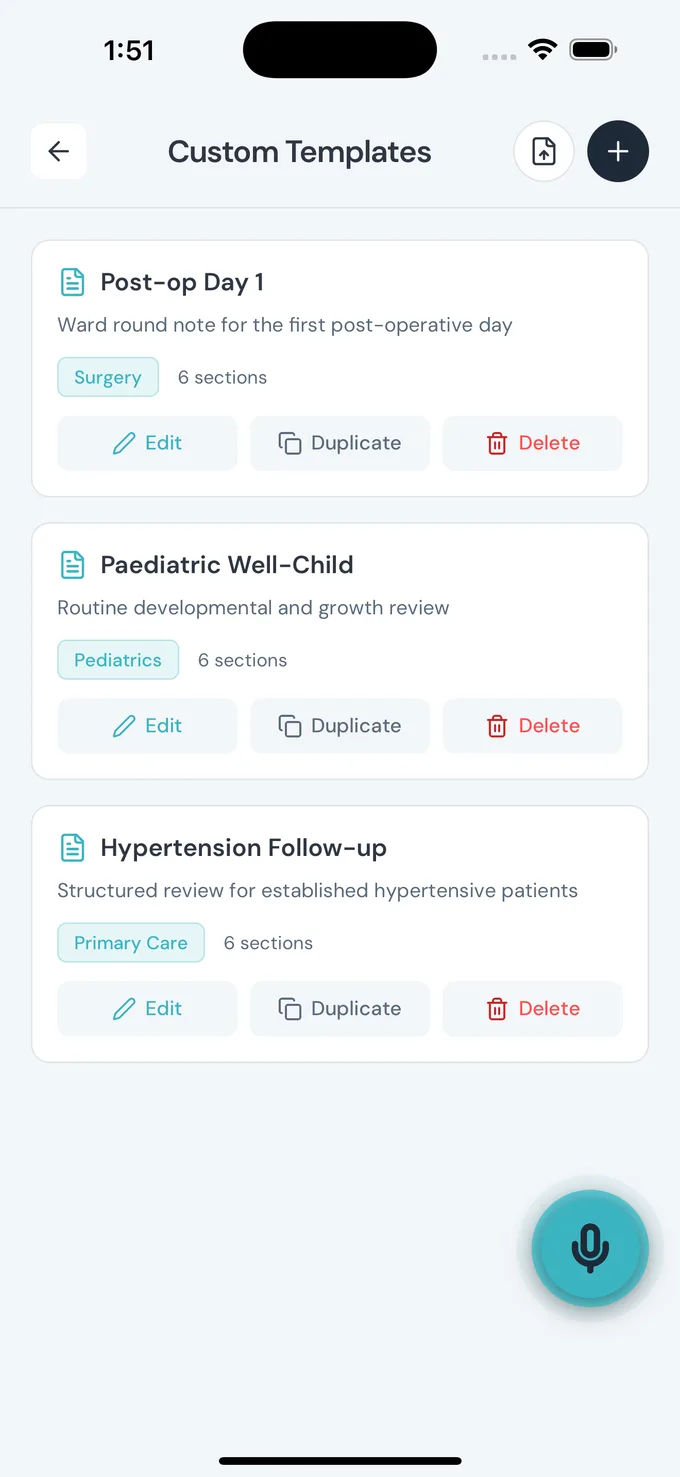
Every practice documents something its specialty’s template does not anticipate. Rather than fight the headings, write your own — two ways in, and both of them end in an editor where a section is a line you can rename, move or remove.

Start From One of the Sixty

Load any specialty’s section list into the editor — or one your practice has already written — then add, rename, reorder and delete until it matches how you work. The shipped template is never altered; what you get is your own copy of it.

Or Start From the General Skeleton

A new template opens on nine sections, the ones almost every encounter has. Keep what applies, cut the rest, and add the headings your specialty actually turns on.

Once a template exists, every clinician in the practice picks it on a recording exactly as they pick a shipped one. Writing and editing them is the account owner’s, and on Team the admins’ and moderators’ too.

A New Template9 to start
  • Chief Complaint
  • History of Present Illness
  • Past Medical History
  • Medications
  • Allergies
  • Social History
  • Physical Exam
  • Assessment
  • Plan
This is what the editor opens on before you change anything.

Start With Your Own Specialty

Record one real visit, read the note it gives you, and decide from that. The free plan does not expire and does not need a card.

Audio is deleted as soon as the note is generated — the default on every account.